
Download Revealer Keylogger – Secure, Stealthy, and Powerful Keylogging Tool for Windows & Mac
Overview: A Stealthy Solution for Keystroke Monitoring
Revealer Keylogger is a specialized software tool designed to record every keystroke made on a computer or mobile device. Whether you're a concerned parent monitoring your child’s online activity, an employer tracking employee productivity, or an individual wanting to keep tabs on your own digital behavior, Revealer Keylogger offers a straightforward solution. The software runs quietly in the background, capturing everything typed—from casual messages and emails to sensitive login credentials and passwords—without displaying any visible signs on the screen. This makes it an ideal choice for discreet monitoring.
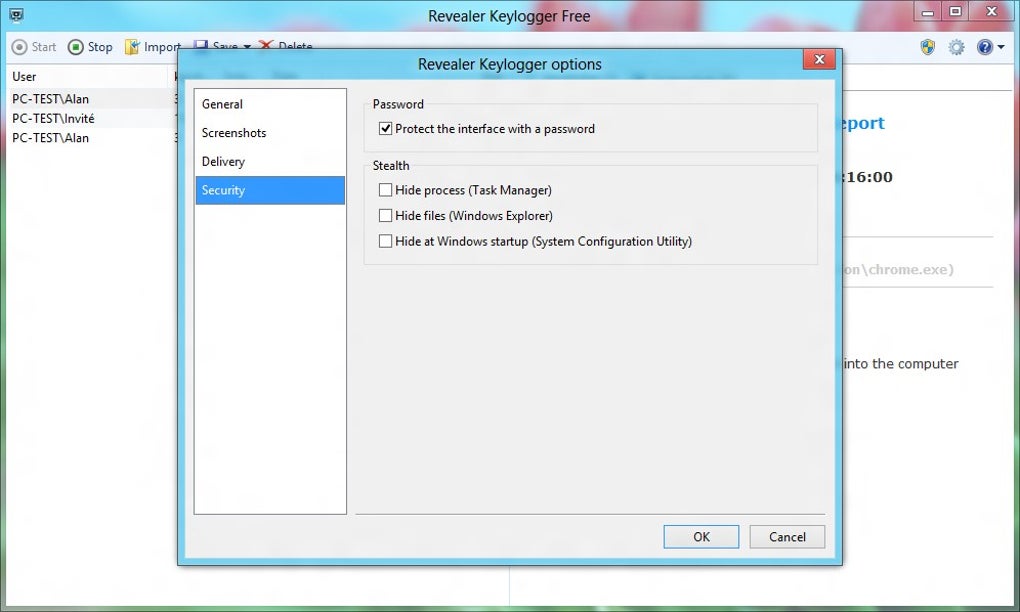
One of the standout features of Revealer Keylogger is its ability to operate in stealth mode. Once installed, the application hides from the desktop and system tray, making it nearly impossible for casual users to detect. Despite this, it continues to log all input activity with high accuracy. The logs are saved as plain-text (.txt) files, which can be easily accessed and reviewed later. While the free version offers core functionality, certain advanced features like remote access and real-time reporting are locked behind a paid upgrade to the Pro version.
Despite its powerful capabilities, the software has a minor flaw: it still appears as an active process in the Task Manager, which could raise suspicion for tech-savvy users. However, for most average users, this is not a significant issue. Overall, Revealer Keylogger provides a reliable, secure, and efficient way to monitor digital activity across multiple platforms, making it a top contender in the keylogging software category.
Key Features and Functional Capabilities
Revealer Keylogger comes packed with essential features that make it a versatile tool for monitoring digital behavior. One of its most valuable capabilities is the real-time logging of keystrokes. Every character typed on the keyboard—whether in a word processor, web browser, or messaging app—is captured and stored securely. This includes usernames, passwords, and private messages, which are recorded exactly as typed, without masking or asterisks.
Another notable feature is its cross-platform compatibility. The software supports Windows, Mac, Android, and iOS devices, allowing users to monitor activity across multiple devices from a single dashboard. This is particularly useful for parents managing multiple family devices or employers overseeing a mixed-OS workplace. The interface is clean and intuitive, making setup and configuration simple, even for non-technical users.
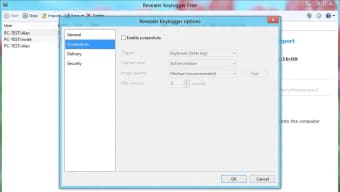
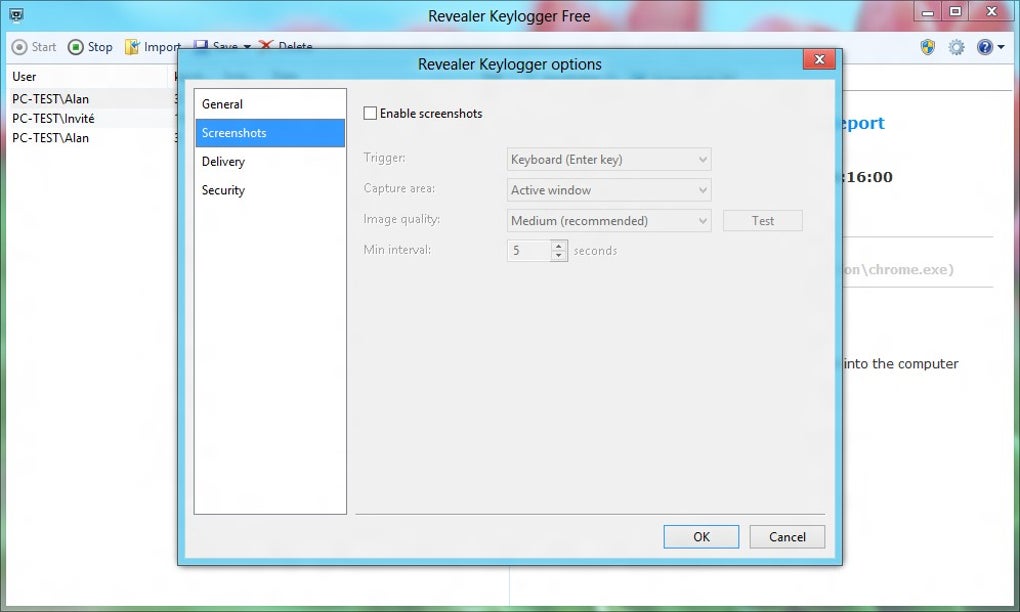
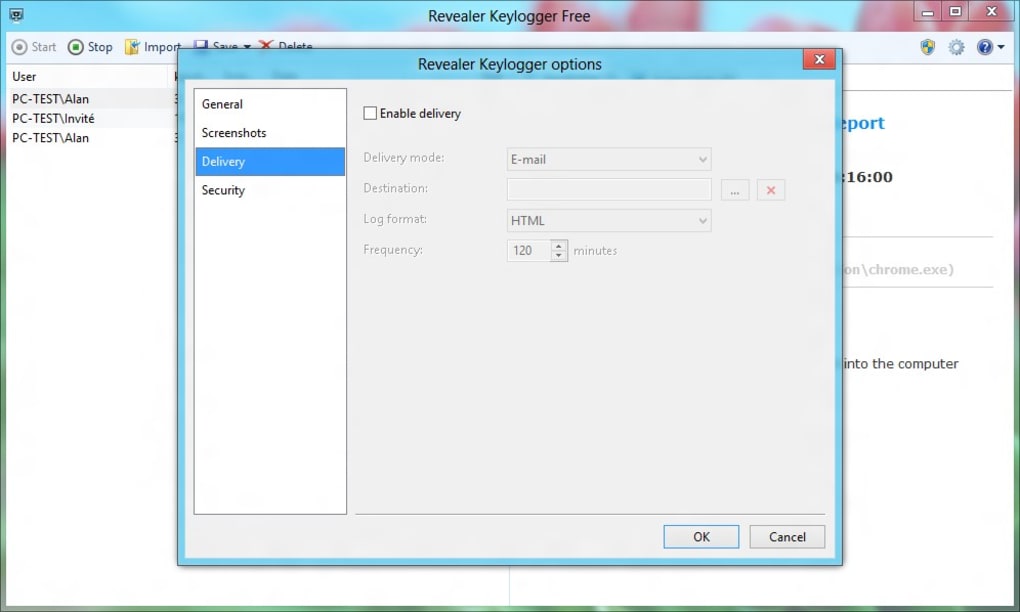
Revealer Keylogger also offers customizable logging intervals, so users can choose how frequently logs are saved or sent to a remote server. Additionally, the tool supports encrypted log storage, enhancing data security. While the free version provides basic logging, advanced features such as email reporting, remote access, and automatic log uploads are reserved for the Pro version. Despite these limitations, the core functionality remains robust and effective.
- Real-time keystroke logging across all platforms
- Stealth mode: hidden from desktop and system tray
- Supports Windows, Mac, Android, and iOS devices
- Encrypted log storage for enhanced security
- Customizable logging intervals and remote reporting options
- Plain-text (.txt) log file output for easy review
Installation, Usage, and Compatibility
Installing Revealer Keylogger is a straightforward process, suitable for users of all skill levels. Begin by downloading the software from the official website. The installer is lightweight and runs quickly, requiring minimal system resources. Once installed, the application runs in the background with no visible interface, ensuring it remains undetected during operation.
For Windows and Mac users, the setup involves launching the installer, accepting the terms, and selecting the desired configuration options. The software automatically begins logging keystrokes upon activation. Users can access logs by navigating to the designated folder on the device or via remote access if the Pro version is used. On Android and iOS, the installation requires sideloading or jailbreaking, depending on the device, which may be a barrier for some users.
Revealer Keylogger is compatible with the latest versions of Windows (10, 11), macOS (Big Sur, Monterey, Ventura), Android (8.0 and above), and iOS (12 and above). This broad compatibility ensures that the tool can be deployed across modern devices without performance issues. The software is designed to run efficiently without slowing down the system, making it ideal for long-term monitoring.
Regular updates are released to improve stability, fix bugs, and enhance security. Users are encouraged to keep the software up to date to benefit from the latest improvements. The update process is seamless and automatic in the Pro version, while the free version requires manual checks.
For optimal results, it’s recommended to install Revealer Keylogger on devices where you have full ownership or explicit permission, especially when monitoring others. Always follow local laws and ethical guidelines when using keylogging tools.
Pros and Cons: A Balanced Review
Pros
- Highly effective keystroke logging with 100% accuracy
- Stealth mode hides the app from view, enhancing discretion
- Supports multiple platforms: Windows, Mac, Android, iOS
- Simple, user-friendly interface with minimal setup
- Encrypted log storage ensures data privacy
- Free version available with essential features
Cons
- Active process visible in Task Manager (may alert tech-savvy users)
- Advanced features locked behind Pro version paywall
- Android/iOS installation requires sideloading or jailbreaking
- Plain-text logs may be less secure without additional encryption
- Limited customer support in free version
Frequently Asked Questions (FAQ)
Is Revealer Keylogger safe to use?
Yes, Revealer Keylogger is safe when used responsibly and legally. The software does not contain malware or spyware. It operates as a legitimate monitoring tool, provided you have proper authorization to monitor the device. Always comply with local laws and privacy regulations.
Can I use Revealer Keylogger on my child’s device?
Absolutely. Many parents use Revealer Keylogger to monitor their children’s online activity, helping protect them from cyberbullying, inappropriate content, and online predators. It’s important to inform minors about monitoring to maintain trust and transparency.
Does Revealer Keylogger work on Mac and iOS devices?
Yes, Revealer Keylogger supports both macOS and iOS. However, iOS installation may require jailbreaking, which can void warranties. For Mac, the setup is straightforward and does not require special permissions.
How are logs stored and accessed?
Logs are saved as plain-text (.txt) files in a designated folder on the monitored device. You can access them directly via file explorer or remotely using the Pro version’s cloud-based dashboard.
Is there a free version available?
Yes, a free version is available with core logging features. However, advanced options like remote access, email reporting, and automatic uploads are only available in the Pro version.
Final Verdict: Is Revealer Keylogger Worth It?
Revealer Keylogger stands out as a powerful, reliable, and easy-to-use monitoring tool for anyone needing to track keystrokes across multiple devices. Its stealth mode, cross-platform support, and accurate logging make it a top choice for parents, employers, and individuals seeking digital accountability. While the free version offers solid functionality, upgrading to the Pro version unlocks advanced features that enhance convenience and security.
Despite minor drawbacks like the visible Task Manager process and limited free features, the benefits far outweigh the downsides for most users. With regular updates, strong encryption, and a user-friendly design, Revealer Keylogger delivers excellent value.
Download Revealer Keylogger today and take full control of your digital monitoring needs. Whether for security, productivity, or peace of mind, this software is a must-have tool in your digital toolkit.
TechMonitor Review Team






